Kilkaya Integration
Kilkaya is a cookieless analytics and content-intelligence platform. When you connect Kilkaya to Subrite, Subrite sends a server-side conversion event to Kilkaya every time a subscription is purchased. This lets Kilkaya attribute each sale back to the page that drove it — for example the article a reader came from — so you can measure which content actually converts.
Because the conversion is sent from Subrite's servers (not the browser), it is unaffected by ad blockers and cookie restrictions.
Enable Kilkaya in Subrite
Kilkaya is configured per tenant from the admin panel.
Step 1. Open the Tracking settings
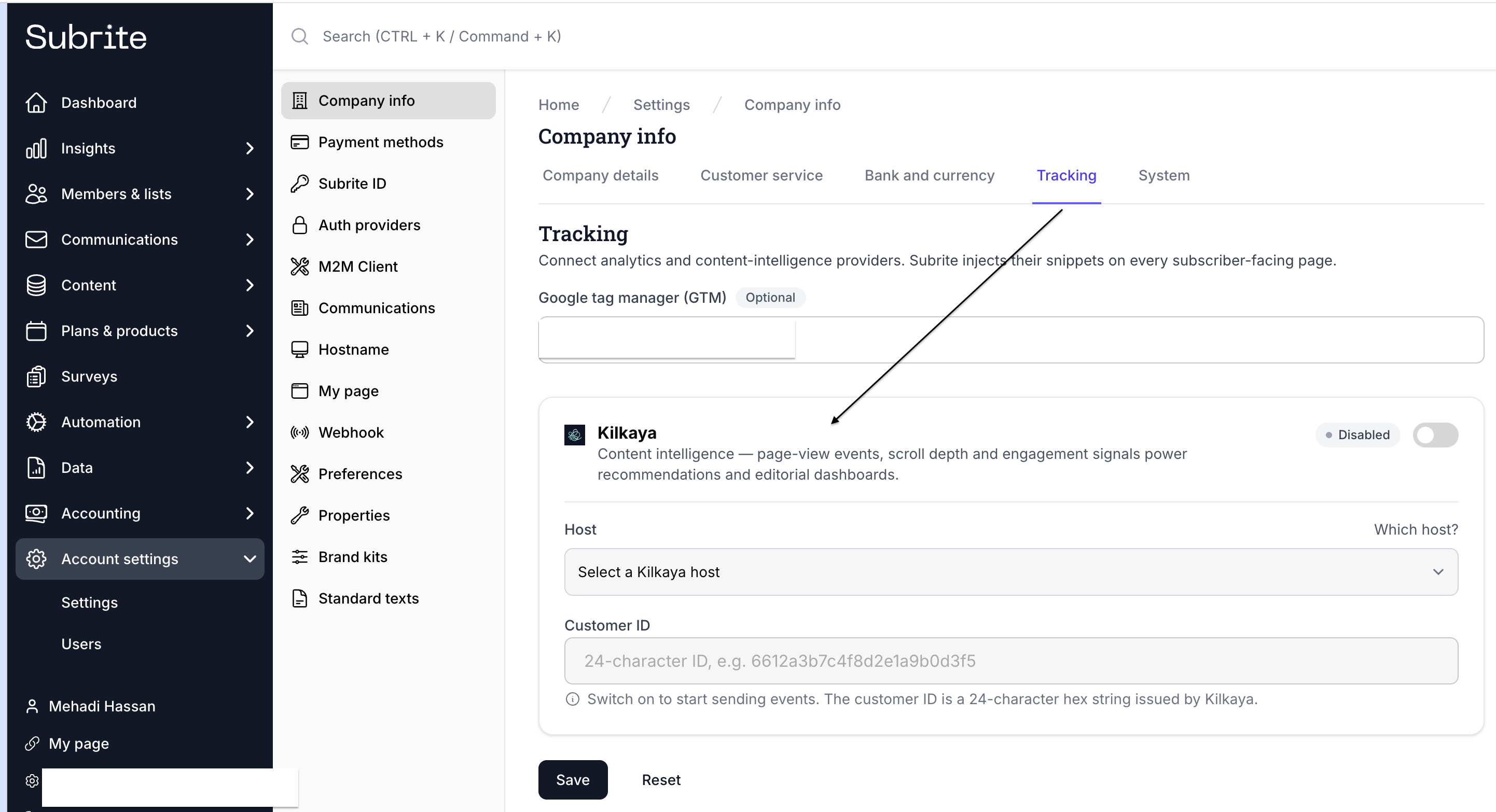
In the admin panel, go to Account settings → Company info → Tracking. You will find the Kilkaya integration card, showing a status badge (Disabled by default).
Step 2. Enable Kilkaya
Toggle the switch on the Kilkaya card to on. The status badge changes and the host and customer-ID fields become editable.

Step 3. Select your host and enter your Customer ID
-
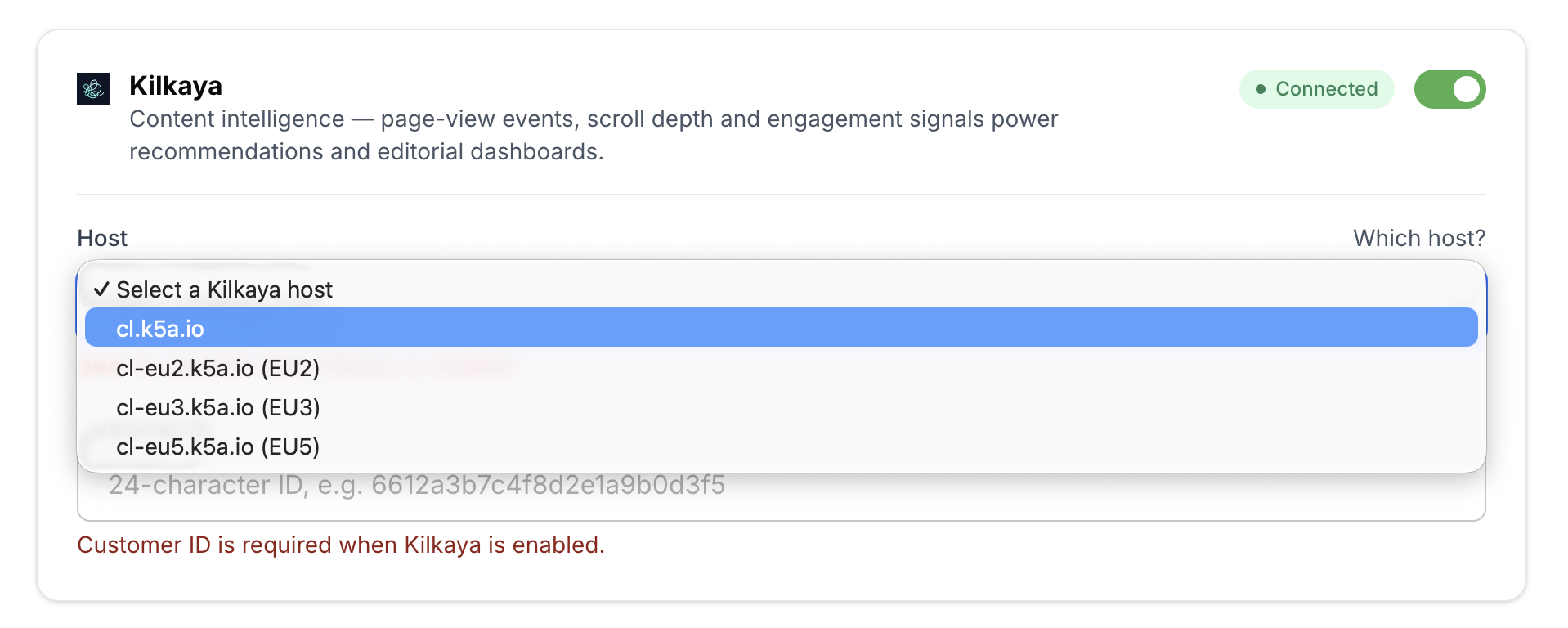
Host — choose the Kilkaya collection host that matches your Kilkaya account. The available options are:
cl.k5a.iocl-eu2.k5a.io(EU2)cl-eu3.k5a.io(EU3)cl-eu4.k5a.io(EU4)cl-eu5.k5a.io(EU5)
If you are unsure which host to use, check your Kilkaya account or contact Kilkaya support.
-
Customer ID — your Kilkaya customer identifier. This is a 24-character hexadecimal string (for example
a1b2c3d4e5f6a7b8c9d0e1f2). Subrite validates the format before saving.
Step 4. Save
Click Save. When the integration is active, the card shows a green Connected badge.

To stop sending conversions, toggle the switch off and save again.
Attributing conversions to a source page (sourceUrl)
To attribute a sale to the page a buyer came from, Subrite resolves the conversion's source URL in the following order:
sourceUrlquery parameter on the checkout URL (if present).- The
referencequery parameter on the checkout URL, when it is a full URL. - The external referrer of the checkout page (the previous page, when it is on a different site than your own).
If none of these are available, the conversion is still sent to Kilkaya, but without a source URL.
The external referrer is also always sent to Kilkaya as the conversion's referrer, so Kilkaya can report where the buyer arrived from (for example a social network or search engine) independently of which page the sale is attributed to.
The sourceUrl parameter
sourceUrl is an absolute URL that identifies where the buyer came from. Add it to a
checkout link when you want the conversion attributed to a specific page — most importantly when
linking to checkout from a page on your own site, where the browser referrer would otherwise be
lost.
Format the checkout link like this:
https://your-site.example/checkout/<package-slug>?sourceUrl=https://your-site.example/the-article
For example, a "Subscribe" button on an article would link to the checkout page with that
article's full URL as sourceUrl. Kilkaya then attributes the resulting sale to that article.
Subrite's built-in My Page purchase buttons set
sourceUrlautomatically, so purchases started from a member's account area are attributed to the page they were on. You only need to addsourceUrlyourself on links you build outside of Subrite (for example in your CMS or on external sites).
If sourceUrl is omitted and a reader arrives at checkout directly from an external page, Subrite
uses that external referrer automatically — so explicit sourceUrl is mainly needed for links
within your own site.